 Vopik
VopikMaster any language. Reach your vocabulary peak.
Tired of forgetting new words? Make them stick with AI, visual learning, and spaced repetition.
How it works
● Add new words and phrases to Vopik whenever you come across them while reading, listening, or watching in your target language.
● Include your own examples and synonyms, or let AI generate them for you. Upload images for better recall.
● Add words to your Repetition list, if you want to learn them right away. Otherwise, you can do it later when you're ready to study them.
● Without practice, new words can vanish in days or even hours. Make Vopik part of your daily routine - review words regularly with spaced repetition and make them truly unforgettable.
● No need to pick what to review - Vopik automatically prepares a daily set of words for you.
Key features
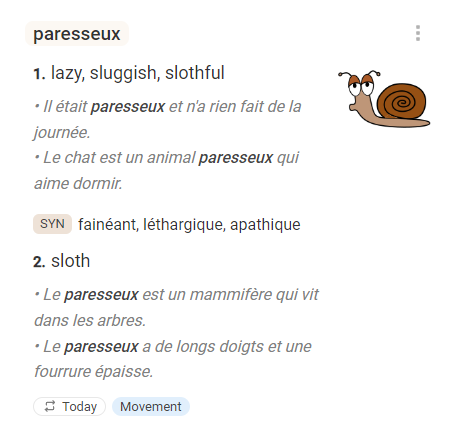
Context
Learn new words and phrases not just through simple definitions but also add examples, images, synonyms, collocations and other useful information. This comprehensive approach builds strong, complex memory links for reliable and long-lasting retention.
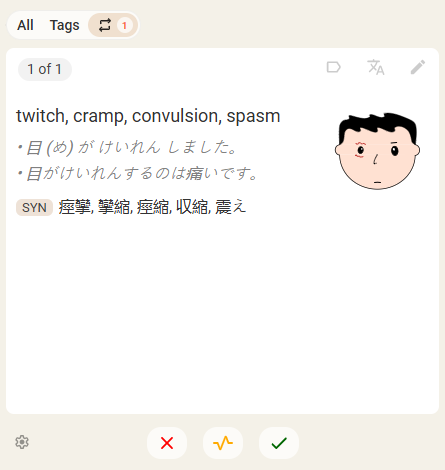
Spaced repetition
Spaced repetition is a learning technique that helps you retain words more effectively by reviewing them at optimal intervals. Vopik automatically schedules your review sessions at these intervals, ensuring you solidify your vocabulary for the long term.
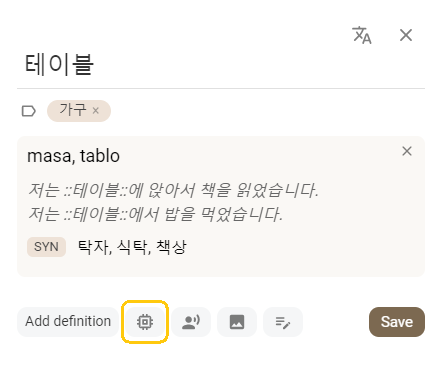
AI
Enrich your vocabulary with AI. Cut down on manual research time by instantly generating clear definitions, real-world example sentences, and key synonyms to understand nuance and usage, not just the translation.
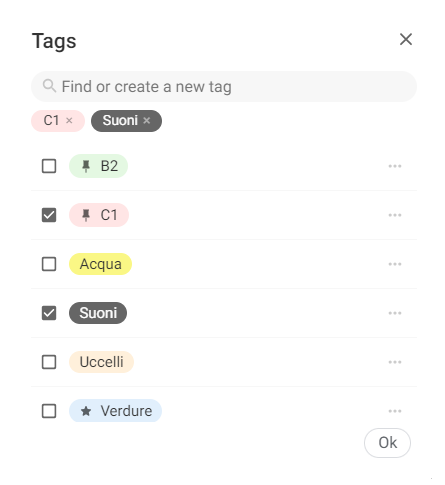
Tags
Vopik's flexible tagging system helps you organize your vocabulary by topic, source, difficulty, or anything else you need. Since our brains remember organized information much more efficiently than random lists, grouping related words helps you create a logical structure that makes memorization faster and more reliable.
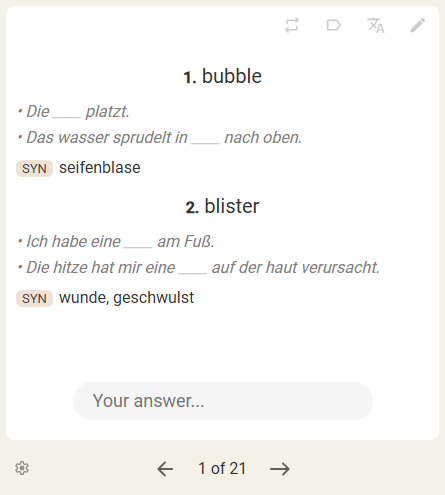
Flashcards
Boost your vocabulary with flashcards that make learning simple and effective.
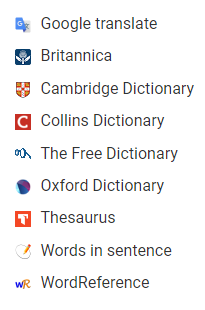
Dictionaries
Supplement your vocabulary with detailed definitions, synonyms, and authentic, contextual example sentences provided by the world's top dictionaries like Collins, Oxford, Cambridge, Longman and others.
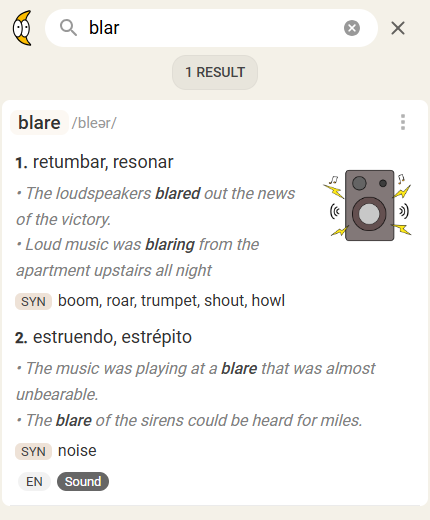
Search
Find any word or phrase in your vocabulary quickly. Just start typing and get instant results.
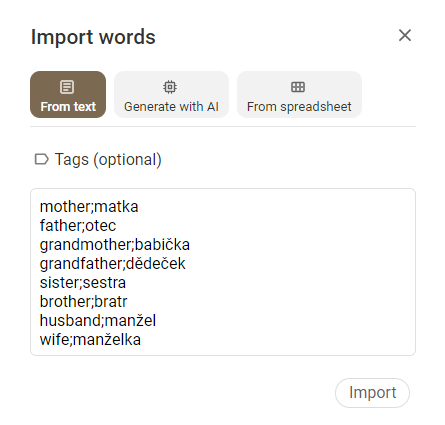
Import
Easily transfer your existing vocabulary lists into Vopik, whether they are raw text separated by delimiters or structured data directly from a Google Spreadsheet.
Statistics
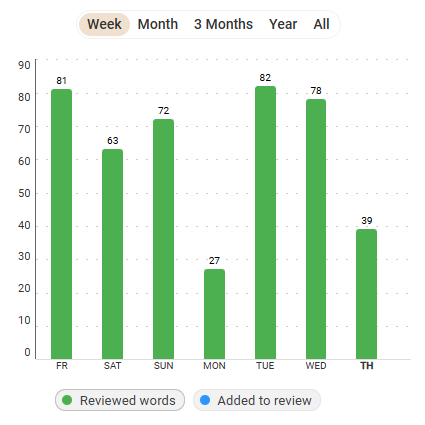
Easily track your daily progress. See how many words you review and how many ones you add to your vocabulary each day. Use these insights to stay motivated and reach your language goals.
Dark mode
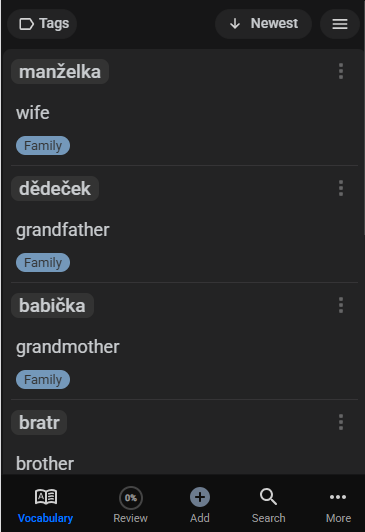
Learn comfortably, day or night. Reduce eye strain and minimize screen glare during late-night study sessions.
Pricing
- Tags
- Search
- Spaced repetition
- External dictionaries
- Import
- AI
- Image uploading
Frequently asked questions
Absolutely! You can start using Vopik for free and enjoy all the core features. No credit card required! Upgrading to the paid plan unlocks extra benefits, including AI-powered features and the ability to upload pictures.
Vopik is designed to be a personal vocabulary first, not just a flashcard app.
Here are the key distinctions:
• Vopik is super simple and easy to use.
• While other apps focus on predefined decks and basic flashcard pairs, Vopik is focused on building your vocabulary with more complex memory links (examples, images, synonyms) to support long-term retention.
• Other apps force you to manage dozens of separate decks or sets. Vopik simplifies this by keeping all your words in one, seamless, searchable list.
• Fast & Powerful Search. Have you ever tried to find a specific word in Anki or Quizlet ... !?
• Instead of being limited to one deck/set per word, you can tag a word with multiple themes. For example, the word "Draw" can have tags like Art, Moving&Pulling, Attention&attraction, etc.
• You can use AI to instantly generate high-quality definitions, examples, and synonyms, saving you significant time that you'd spend manually creating rich flashcards in other apps.
• Vopik features a writing exercise where you translate sentences from your native language into your target language. The AI instantly checks your work, provides feedback, and offers recommendations. This is like having a tutor available 24/7 to help you practice constructing correct and natural sentences.
Vopik allows you to learn any language of your choice and study multiple languages simultaneously.
Yes! Vopik is designed for learners of all levels - whether you're just starting with your first words or already building an advanced vocabulary.
Yes, you can. Vopik is a web app that works seamlessly on your mobile browser. While there isn't a dedicated app in the stores yet, you can easily add it to your home screen for quick access. See "How to install Vopik?".
You can access it directly through a web browser or install it for more convenient access.
Computer:
- On your computer, open Chrome browser.
- Go to vopik.app
- At the top right, select More button -> Cast, save, and share -> Install page as app....
- To install the web app, follow the on-screen instructions.
Android:
- On your Android device, open Chrome browser.
- Go to vopik.app
- On the right of the address bar, tap More -> Add to home screen -> Install.
- Follow the on-screen instructions.
iPhone & iPad
- On your iPhone or iPad, open Safari browser.
- Go to vopik.app
- Tap the Share icon (the square with an arrow pointing upward) at the bottom of the screen.
- Scroll down to the list of actions and tap Add to Home Screen. (If you don't see the action, scroll to the bottom and tap Edit Actions, then tap Add next to the Add to Home Screen action. After that, you'll be able to select it from the Share Sheet.)
- Follow the on-screen instructions.
- A shortcut to the app will now appear on your device's home screen
Use it everywhere
Vopik is a web application, accessible from any device, so you can learn languages
whenever and wherever you want.
Not sure if Vopik is right for you?
Let AI do the thinking for you. Click a button and see what AI says about Vopik.